

MSVStudio 2005
1. create an ATL project, all default settings
2. add to the project a Simple ATL Object class, see pic
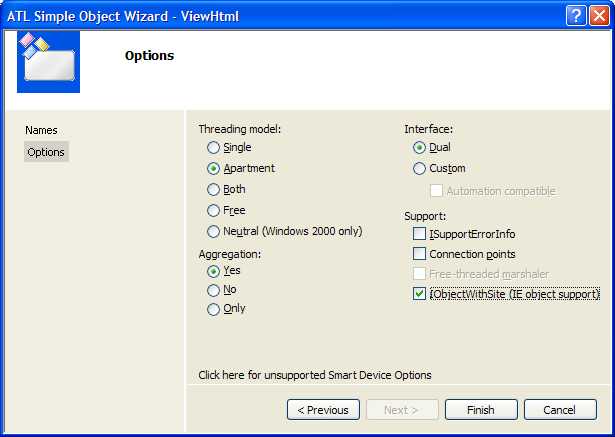
see http://msdn.microsoft.com/library/default.asp?url=/library/en-us/dnwebgen/htm... (Browser Helper Objects: The Browser the Way You Want It) for more.
be careful to implement the SetSite method, call the base class default function rather than return E_INVALIDARG, this is important for ole automation to work (i.e., javascript to call user defined c++ functions).
also in the Invoke method, call defualt base class implementation as well.
in rgs file add
<pre>
HKLM
{
Software
{
Microsoft
{
Windows
{
CurrentVersion
{
Explorer
{
'Browser Helper Objects'
{
ForceRemove '{2811D028-3F13-4973-A2F3-411937EA2154}'
}
}
}
}
}
}
}
</pre>
to the end of the Simple ATL Object's rgs file
